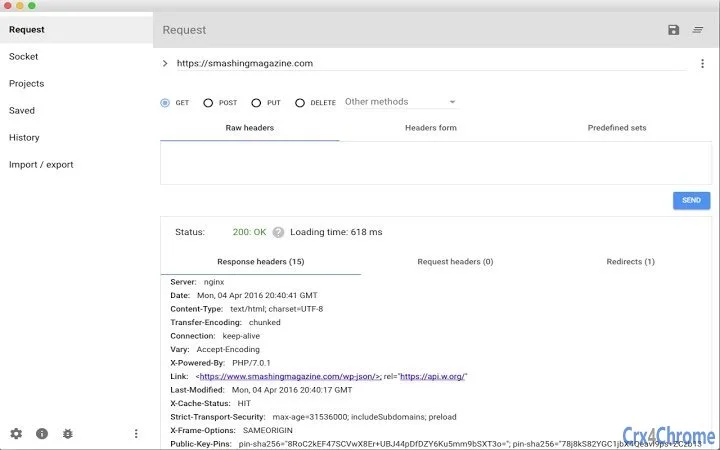

Seamless Cookie Sync for API Testing
Overview
The Advanced REST Client Cookie Sync extension is designed to streamline session management for developers using the Advanced REST Client desktop application. By enabling the transfer of cookies stored in Chrome to the ARC environment, this tool simplifies the process of maintaining authenticated API sessions during testing. This is particularly useful for professionals working with web services that rely on cookie-based authentication, such as RESTful APIs used in enterprise or web application development.
The extension operates as a bridge between the browser and the desktop app, ensuring that requests sent via ARC include the appropriate session cookies when the domain matches. This reduces the need for manual cookie copying and minimizes the risk of session-related errors during testing cycles. It is tailored for software engineers, backend developers, and QA testers who frequently interact with authenticated endpoints.
Given its targeted functionality, the extension is best suited for users already working within the Advanced REST Client ecosystem. The developer has not provided additional background on the team or organization behind the tool. Real-world usage includes testing authenticated endpoints, debugging session issues, and automating repetitive authentication workflows in API development.
Key Features & Capabilities
- Cookie Synchronization – Automatically reads cookies from Chrome and transmits them to the Advanced REST Client desktop application when the request domain matches the cookie domain.
- Secure Connection Protocol – Only accepts connections from whitelisted versions of Advanced REST Client, including canary, dev, beta, and stable releases, preventing unauthorized access.
- XHR Proxy Support – Includes a proxy for XHR requests, enhancing compatibility with modern web application testing workflows.
- Automatic ARC Detection – Notifies the Advanced REST Client application upon extension installation, enabling seamless integration without manual configuration.
- Minimal Permissions Model – Requires access to all websites and cookies, but only to support the intended functionality and ensure proper cookie retrieval.
These features collectively enhance workflow efficiency by reducing manual setup steps. For example, developers can test authenticated endpoints immediately after logging into a web application in Chrome, without re-authenticating in ARC. This is especially valuable in environments where session tokens expire frequently or where multi-step login flows are required.
User Interface, Workflow & Performance
The extension operates in the background and does not include a user interface within the browser. Instead, it functions silently, relying on the Advanced REST Client desktop application to handle user interaction. This design ensures minimal disruption to the user’s workflow while maintaining functionality.
Navigating the extension’s behavior requires no direct user input. Once installed and connected to ARC, it begins synchronizing cookies automatically. The workflow is streamlined: log in in Chrome, make a request in ARC, and the session data is carried over. This reduces friction in testing authenticated endpoints.
Performance details were not specified by the developer. However, given the extension’s lightweight size of 2.3 MB and its focus on background synchronization, it is expected to have minimal impact on system resources. The developer did not specify resource usage details, and performance observations are based on general software behavior patterns. Stability is maintained through strict connection controls and secure communication protocols.
Compatibility & System Requirements
The extension is compatible with Windows, Mac, and Linux operating systems, supporting the latest versions of Chrome and the Advanced REST Client desktop application. The software version is 1.0.0, with an installation size of 2.3 MB.
Exact system requirements were not listed. Compatibility information was partially provided, with no mention of minimum CPU, RAM, or storage thresholds. The developer did not specify whether the extension supports older versions of Chrome or ARC. Users should ensure their system meets the requirements of the host application (Advanced REST Client) to maintain full functionality.
Pros and Cons
Pros
- Effortlessly syncs Chrome cookies with Advanced REST Client for seamless API testing.
- Secure by design with whitelisted app connections and strict access controls.
- Lightweight at only 2.3 MB, minimizing system footprint.
- Automatic detection of ARC installation reduces setup time.
- Supports modern testing workflows with XHR proxy integration.
Cons
- No visible user interface within the extension, which may confuse new users.
- Requires access to all websites, which may raise privacy concerns for some users.
- Dependent on the Advanced REST Client desktop application for functionality.
- Exact system requirements and hardware compatibility details were not provided.
- Only works with Chrome-based cookie storage, limiting cross-browser support.
FAQ Section
Is the extension compatible with all versions of Advanced REST Client?
The extension is designed to work with canary, dev, beta, and stable versions of the Advanced REST Client application. Users should ensure their ARC installation matches one of these channels for full compatibility.
Can I use this extension with browsers other than Chrome?
The extension relies on Chrome’s cookies API and is designed to read cookies from Chrome only. It does not support other browsers such as Firefox or Edge.
Is the extension safe to install?
Yes. The extension only accepts connections from verified versions of Advanced REST Client. It does not expose cookie data to external applications or services, ensuring a secure environment.
Does the extension require an internet connection to function?
The extension itself does not require an internet connection to sync cookies. However, the Advanced REST Client application may need network access to send requests, depending on the API being tested.
How do I update the extension?
Updates are automatically managed through the Chrome Web Store. When a new version is available, the extension will be updated silently, provided the user has automatic updates enabled in Chrome.
Final Thoughts
The Advanced REST Client Cookie Sync extension delivers a focused, secure solution for developers who rely on cookie-based authentication during API testing. Its ability to bridge Chrome sessions with the desktop ARC environment eliminates a common workflow bottleneck, making it a valuable tool for productivity. While it lacks a visible interface and is limited to Chrome, its lightweight design, security model, and automation features make it a reliable addition to any developer’s toolkit.
For professionals working with authenticated APIs, especially in agile or continuous integration environments, this tool significantly reduces setup time and improves testing accuracy. Its integration with multiple ARC release channels ensures stability across development stages.
Download Advanced REST Client Cookie Sync now.







